Skip to Main Content (Press Enter)
Internet Explorer is not supported. For the best experience use another browser.

Help Centre

At Toyota GB, we are here to help with all your enquiries.
Customers in ownership of selected Generation 7 and 8 Hilux are invited to their nearest dealer for a free inspection. Find out more

FAQS

  1. All

Unlock the full potential of your plug-in hybrid or battery electric vehicle with Toyota HomeCharge, our EV home charger. It is the only charger created to work in unison with your vehicle and the MyToyota App. 


Toyota HomeCharge is the fast and connected way to charge at home. More convenient and cost-effective than public chargers, once installed you can simply plug in on your driveway or garage to charge your plug-in hybrid or electric car at home.

The Toyota Public Charging Network is a subscription service which gives you access to thousands of chargers across the UK and Europe, making it easy to charge your car on longer journeys without juggling multiple apps.


Sign up here.

Most people choose to charge their electric car at home or work for convenience, and efficiency. The best way to charge at home is using a dedicated wall box, such as Toyota HomeCharge. You can also charge through a domestic socket, which is a slow way to charge, but can be convenient.


When needed on longer journeys, you can charge at a public charger, at a service station or many other locations such as shopping centres and supermarket carparks.

Charging a plug-in hybrid is simple and means that you can travel further in electric mode. 


Most plug-in hybrid owners choose to charge at home or work for convenience, and efficiency. The quickest way to charge at home is to use a a dedicated wall box, such as Toyota HomeCharge.

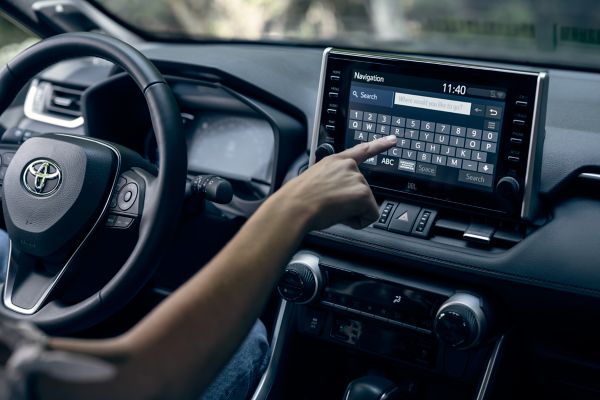
Over-the-air map updates are possible with the latest multimedia systems, activated in the e-Store for the latest compatible models. You can also manually update your system by downloading updates from the My Toyota e-Store, and putting them on a USB stick, and connecting it to your car.


Find out more about Connected Services.

Go to the menu of your multimedia system and choose Settings. Then select Bluetooth Connection and follow the steps to set up the network connection. On your smartphone, you need to enable Bluetooth tethering. 


Find out more.download (pdf(download (pdf(

In order to keep your personal data secure, we strongly recommend that you remove all personal details from your vehicle’s multimedia system,  My Toyota and MyToyota app before the vehicle is sold to another person.


Follow these simple steps to delete your data.

Safeguarding your privacy is vital to Toyota and its network of dealers and repairers. By giving us your consent, you open up a new world of Toyota services and offers.


Find out more about how to manage your data here.

In the MyToyota app, first select your car from My Garage, then click on Connected Services Center. Then follow the flow to activate the Connected Services that are available for your vehicle.


In case one or more connected cars in My Garage have not yet been activated, you will be prompted with a welcome screen to activate Connected Services each time you log into the app. If you skip this step, you can still activate it at a later stage by following the steps above. Within the activation process you will need to accept the Terms of Use and acknowledge the Privacy Notice.


Find out more.

We're sorry you're having difficulty accessing your MyToyota account. You can reset your password within the Customer Portal.

Use the MyToyota Customer Portal to track your service history. Service history automatically tracks services performed on your vehicle by a Toyota dealer.


Visit MyToyota.

For technical issues with your car, the best place to resolve this is at your Toyota dealer.


Head office are unable to fully help with these enquiries as we need to see the car to give the best advice.

If your car has been stolen you should immediately call your local police station dialling 101. Make sure you know your registration number, model, and colour. You should also contact your local dealer and notify your insurers.

We are committed to providing you with the highest levels of customer satisfaction, but we understand that from time-to-time things don’t go according to plan. If you’re unhappy about your Toyota or the service you’ve received, we’d like to hear from you.


Make a complaint.

Whether you would like to import your Toyota vehicle or register your vehicle overseas, we have created some guidelines to show you just what you may need to do.


Find out more here.

Your Toyota dealer is best to support you and will keep you up to date on the progress of your vehicle. Alternatively, you can visit your MyToyota account to track the progress of your vehicle order.

Please contact your Toyota dealer, who will be able to supply and program a new key for you.


Find a dealer.

Finding the perfect Toyota to suit your needs is simple and affordable with the Motability scheme. Explore the range of vehicles available through the Motability scheme by viewing our offers or pricelist. 


Explore Motability Offers.

Recalls are a pretty rare occurrence but your safety and peace of mind means everything to us so we will always be transparent about recalls.  


If you want to know more about a recall you’ve heard about, or if you think your Toyota might be affected in any way, then please use our online recall checker now. 


Recall Checker.

We want to make sure that your Toyota is as safe as can be, that it performs perfectly and that it’ll be as reliable as possible. So whether you come in to see us or you visit our official eBay store, we’ll only ever show, supply and fit genuine Toyota parts. And we guarantee all of them for a minimum of 12 months.

You can read it online or download it to read offline whenever suits you.


Owners Manuals.

Due to semiconductor shortages, Smart Keys have been in short supply since October 2022. Based on the ongoing supply challenges, the decision was taken to minimise the impact by temporarily supplying certain models with just one Smart Key at the point of vehicle production. This has allowed us to supply more of our orders than would have been otherwise possible. Now that some of the supply shortages are easing, the re-introduction of supplying a second Smart Key with a new vehicles has begun. However, supply for certain models is still impacted. Most of the customers who have been waiting the longest can now order their key through their local dealer.


Find a dealer.

Data & Privacy

Safeguarding your privacy is vital to Toyota and its network of Dealers and Repairers. By giving us your consent, you open up a new world of Toyota services and offers.
Manage