The MyToyota App
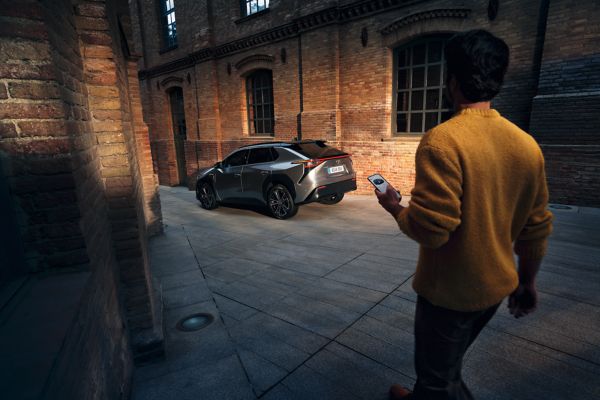
The MyToyota app is the perfect companion for your car. Monitor your driving, schedule charging, plan trips, and benefit from additional features with Connected Services. It’s a world of useful functionality in your pocket, designed to make everyday life more convenient.
MyToyota App
Complete control, in your pocket
More useful and user-friendly than ever, the MyToyota app puts you in complete control of your car from your smartphone. Designed to make everyday life more convenient, more secure and more fun, the app sits at the heart of Toyota Connected Services. From remote charging control to range optimisation, cabin pre-conditioning to easy journey planning, it’s a world of useful functionality in your pocket
MyToyota app
-
Driving Analytics
-
Driving analytics
Every drive is an opportunity to learn with MyToyota. Track acceleration, braking and speed in real time. The app evaluates your driving style, giving feedback to enhance your experiences every time you get behind the wheel. -
Hybrid Coaching
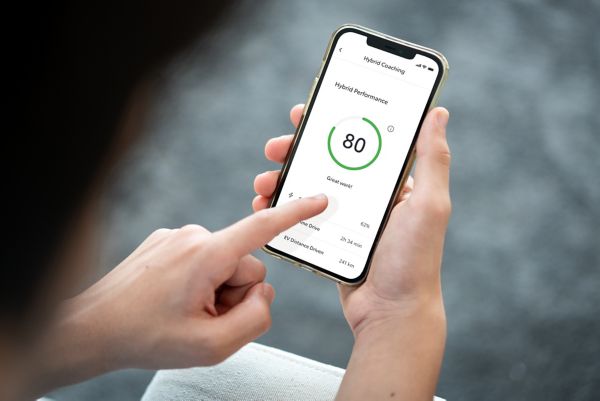
Hybrid Coaching in the MyToyota app maps and analyses your journeys to show you how much time you spend in EV mode, delivering tailored feedback to help you become a smoother, more conscious driver. -
Electric and Plug-in benefits
With a dedicated EV coaching function, the MyToyota app gives tailored tips based on your driving data. It also integrates with HomeCharge and the Public Charging Network. -
-
-
Map Services
-
Map Services
Map Services is your personal travel assistant. Points of Interest, including nearby charging stations, help you keep moving while saved destinations - including Home, Work and Favourites - offer one-tap navigation to save time. -
Plan at home, then send to car
Plan your journeys from the comfort of home, and send the route to your Toyota so that it is ready when it’s time to leave. -
Find your car, anywhere
With Find My Car, locating your Toyota in big car parks or on busy city streets is easy. Click on the map icon to see its last known position and yours, so you can navigate your way back to your car. Tap on the vehicle to see its exact address or to share the location with family and friends. -
-
-
Remote Control
-
Reassurance with Remote Control
Check your vehicle’s status anytime, anywhere. Unlocking the doors for family and friends, and locking them again afterwards, is as easy as tapping the screen. -
^Available on selected grades.
Remote Climate
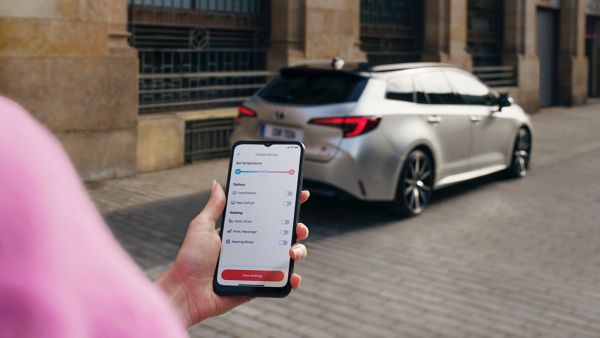
Cold morning? Warm afternoon? Set your preferred temperature before you drive with Remote Climate. From the MyToyota home screen, you can start climate or schedule it in advance. Adjust temperature, activate heated seats, and defrost windows^ - all before you can even leave home. -
-
Connected Services & Subscriptions
Benefit from more features with Connected Services, like Remote Services which let you remotely control your car, and find out more about our subscription packages for these services.
Find out more
Charging your car
With the MyToyota app you can monitor your battery and charging status for Electric and Plug-in vehicles. It also seamlessly integrates with Toyota HomeCharge and the Public Charging network.
Find our more

Learn how to use the MyToyota app
Here you can find all guides and FAQ's.
View our ‘How to’ guides
View our ‘How to’ videos
Explore our FAQs
*Connected service features may vary among model and grades. Free trial length varies between models, grades, and features, after expiry payment is required. UK features may vary.